

iOS Developer Protip: Something I’m seeing in a lot of apps that have been adapted to the Duo, even in ones that are very well crafted (like the UniFi app): they don’t handle collapsed navigation correctly.
When a live activity or something else causes the UI behind the camera to grow, you lose space for you navigation items, so they collapse into a ⋯ menu. The first image below becomes the second image. When you tap on that ⋯ menu you _should_ get a menu like the third image.
1/n
3 media files
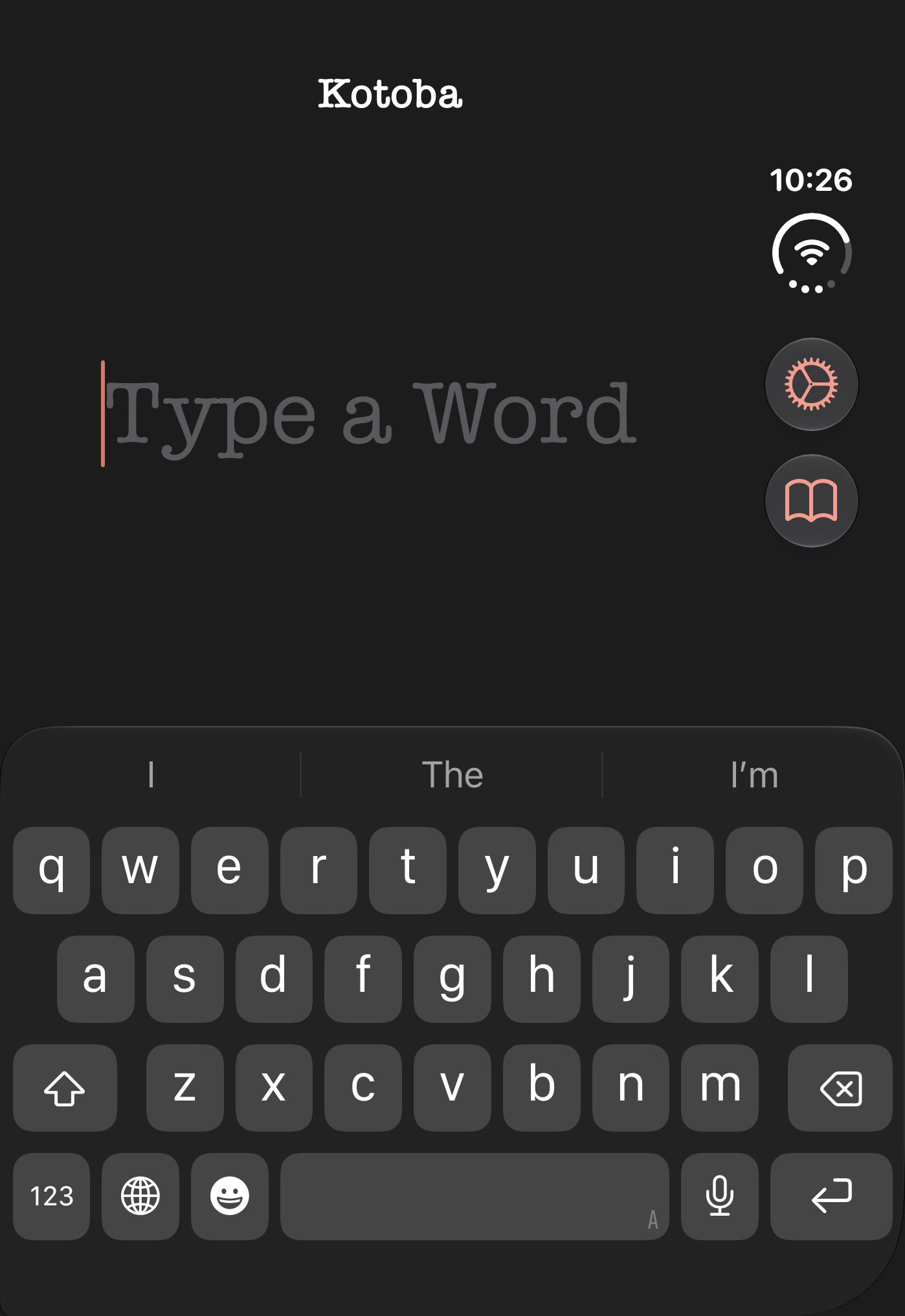
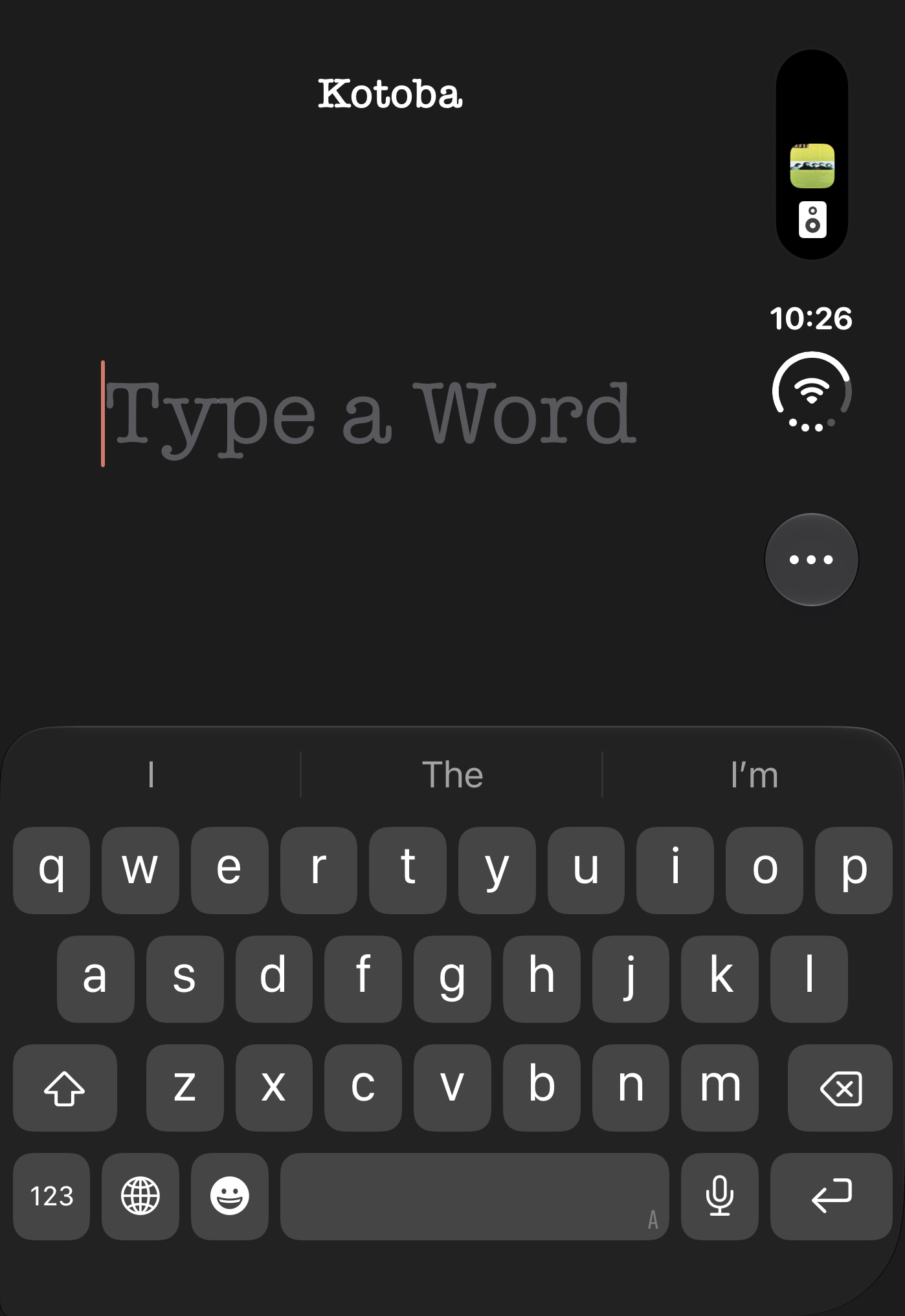
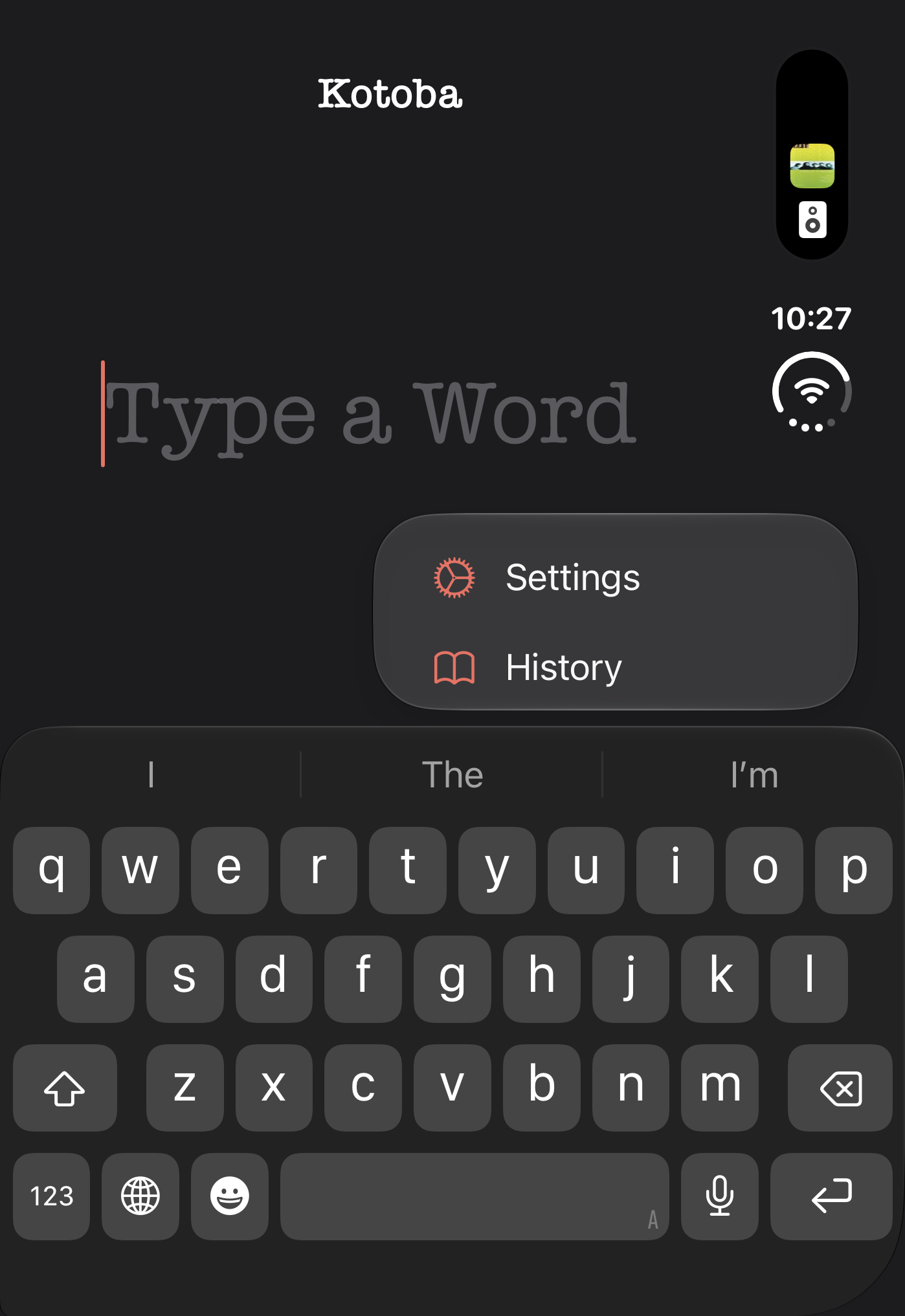

But that often doesn’t happen because there’s something missing: a label for the button item. If you’re one of those developers who doesn’t pay close attention to accessibility, now you have an accessibility problem because your ⋯ menu doesn’t open.
The fix is simple and will benefit customers with and without vision difficulties: add a label to your bar button item. An accessibility label is not appropriate either: it describes the control and is not a label despite its name.
2/n