
Tip of the day: you can install Catodon as if it were an app in Android (and likely its forks).
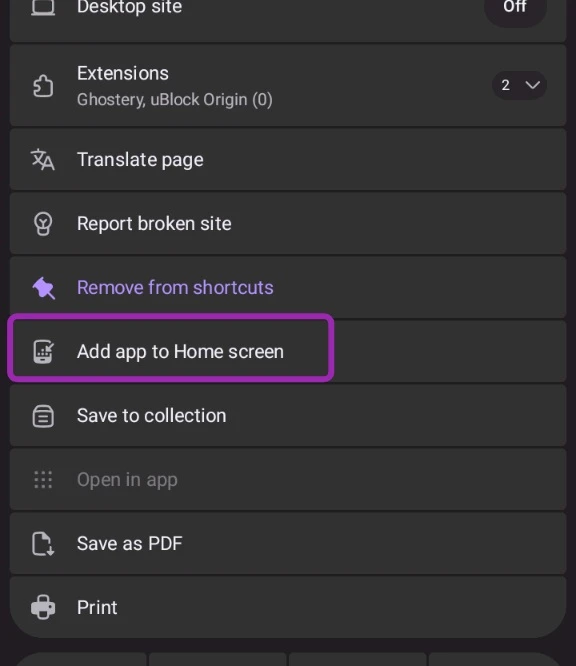
In Firefox and its forks, access Catodon, then click/tap the three dots, then "More" (the next item after the "Extensions" menu item), then choose "Add app to Home screen", then click the "Add to Home screen" button.
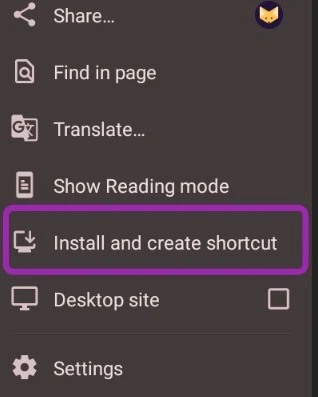
In Chrome and its forks, access Catodon, then click/tap the three dots, then choose "Install and create shortcut".
In both cases, it'll create a new icon in your Android app drawer, which will open Catodon in a full screen page, i.e. no address bar or toolbars, which will only appear if you access some external website from inside Catodon.
Despite an app being essentially the same thing as an open tab (as both are using a browser under the hood), installing Catodon (and any website installable as an app) makes the browser to run it in a minimal environment, which leads to an even smoother experience.