#nfl
boosted


NFL’s Epic Thanksgiving Schedule Features 3 Dramatic Finishes After Bills’ 57-Yard FG to Beat Chiefs https://www.rawchili.com/nfl/1063998/ #Football #NFL
NFL’s Epic Thanksgiving Schedule Features 3 Dramatic Finishes After Bills’ 57-Yard FG to Beat Chiefs https://www.rawchili.com/nfl/1063998/ #Football #NFL
I’m the developer of Veya, a third-party Jellyfin client for Android. It also connects to Emby, Plex, Navidrome/Subsonic and NAS shares (SMB, WebDAV, FTP, SFTP, NFS), so media spread over a few places ends up in one app. It’s closed source, free on Google Play, with an optional Pro upgrade.
With Jellyfin
Direct play only. Veya never asks the server to transcode, so the phone decodes the file (Media3 hardware decoding, with libVLC as a fallback). Your server stays idle, but a file the phone can’t decode, or a high-bitrate file over a slow remote connection, won’t be converted.
Free and Pro. Everything above is free and doesn’t need an account. Free allows 3 media servers and 3 cloud storage connections. Pro adds unlimited connections, search across all servers, your own subtitle files and dual subtitles, synced lyrics, offline downloads and next-episode preloading. Watching your own library never needs Pro.
Privacy. After you accept the privacy notice, the app sends usage events (screens opened, playback started, sign-in and purchase steps) with basic device info and a random install ID, plus your Veya account ID if you sign in. No server addresses, titles, file names or passwords. There’s no in-app switch to turn it off.
Google Play: play.google.com/store/apps/details?id=com.tf.unip… App Store (iPhone/iPad): apps.apple.com/app/…/id6837163350
Bug reports are welcome. If something doesn’t play, your Jellyfin version and the file’s codec and container help a lot.
 Posted in
Fediverse
You could also just go there and make a comment about how Russia or China sometimes lie about things and get banned from the entire instance in a few minutes.
Пристрасті за ПВО
https://defence-line.info/?p=23147
Unknown type of activity/object
Been rummaging at AVAV Towers
Something I’d forgotten about from the depths of the cavernous basement
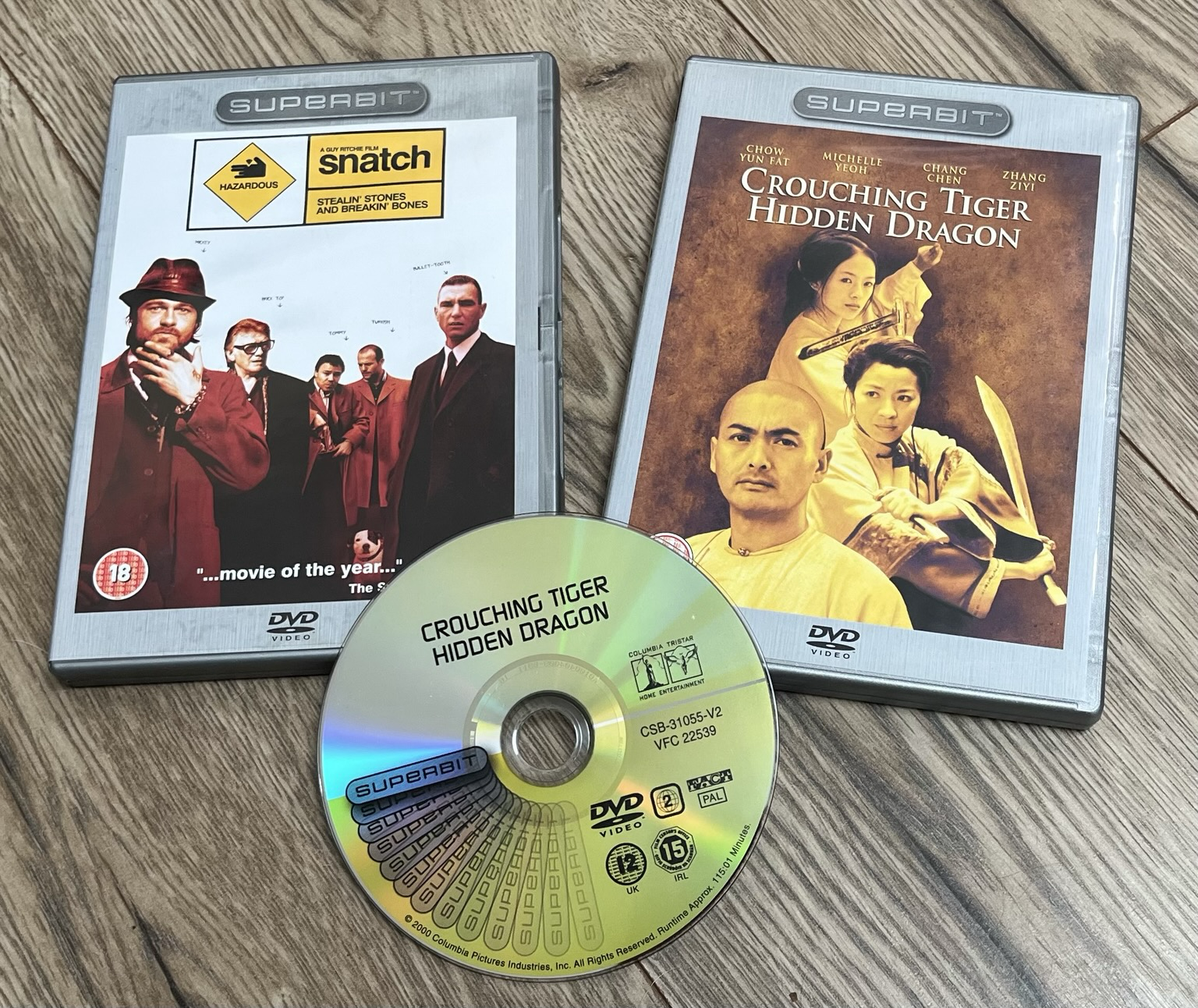
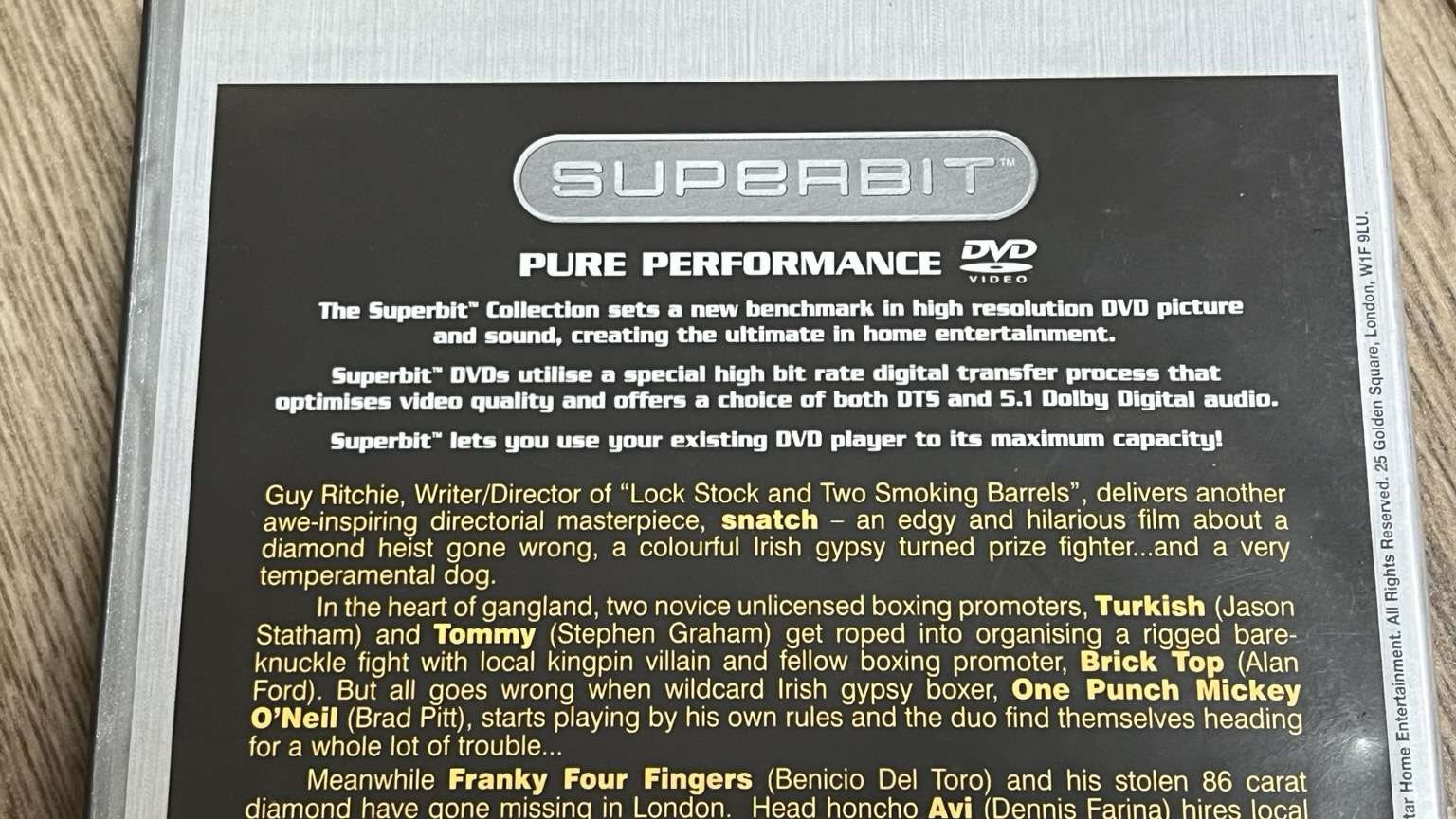
SuperBit DVD 2001 ish
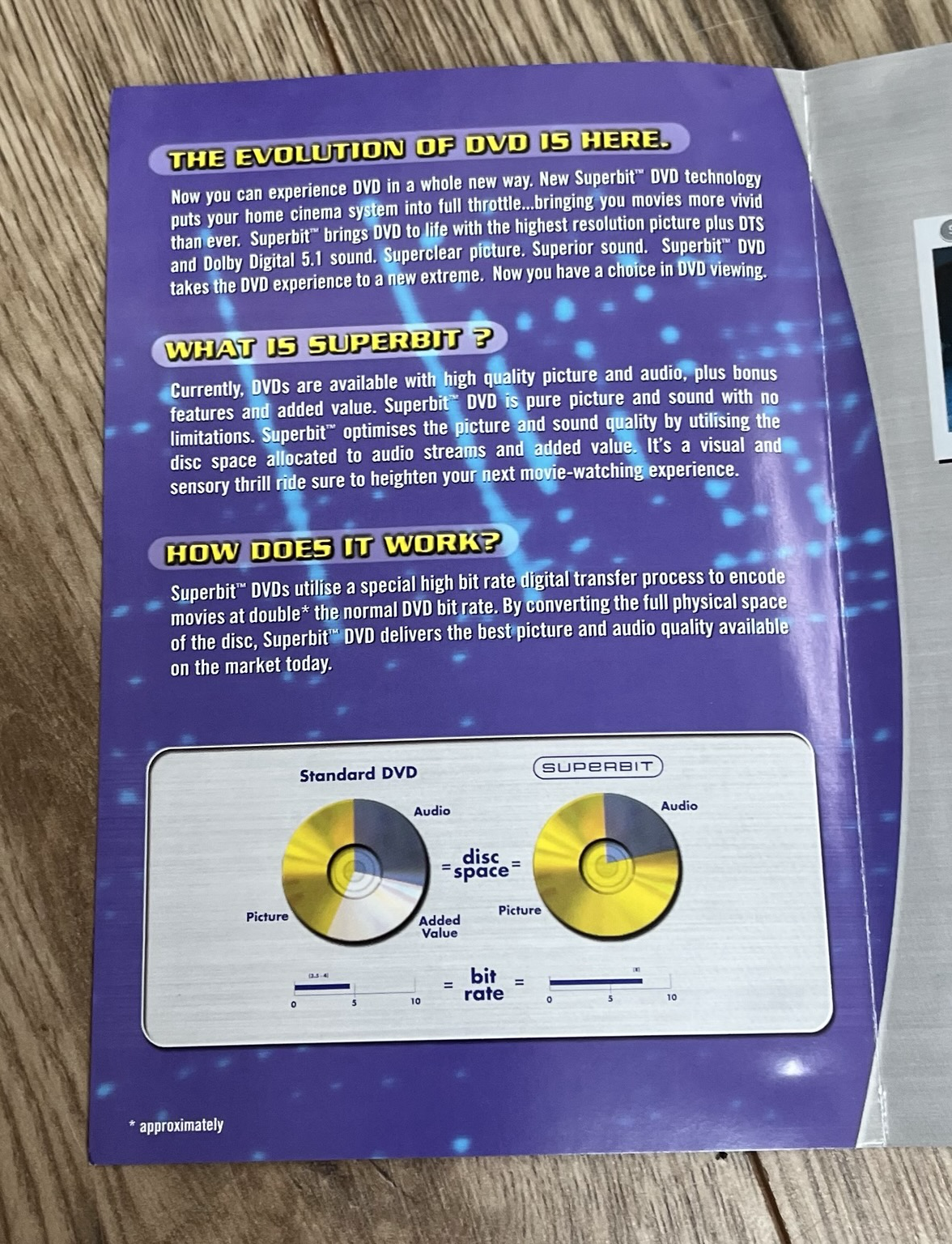
I can see what they were trying to do. Constant, flat out, bitrate. Sod the Extras, Commentary, MPEG Audio, VBR etc
5.1 & DTS Audio, improved Picture, 10 Mb p/s I seem to remember
Then HD-DVD vs Blu Ray was heading our way & off it trotted, to the Tech Cemetery
Or, just that particular doctor at Mayo needs to update his knowledge.
Perhaps that family physician should speak with his expert compatriot, Dr. Matthew Binnicker, director of the Clinical Microbiology Molecular Lab and co-director of the Clinical Virology Lab at Mayo Clinic, who backed exactly what I said.
 Posted in
Top Stories in Politics
'We Aren’t Scared Of You': Incoming Rep Dares Trump To Pull 1 'Chickens**t' Move
https://www.huffpost.com/entry/wellman-trump-veto-dare_n_6b09002ae4b084fa2e179901?utm_source=flipboard&utm_medium=activitypub
Posted into Top Stories in Politics @top-stories-in-politics-thenewsdesk
@et_andersson First for me would be X-Wing.
It even had vertex colors. But no texture mapping yet.
At what strike price?
🌙 Eclipse glasses sold out for 2026? Safe alternatives that still ship in time: solar binoculars, shade-14 welding glass… Full guide at the link 👇
Long-range views by day: Celestron Ultima 100 👉 https://amzn.to/4AmBKwt
#Astronomy #Telescope #Stargazing #ad #Paidlink
Don't miss this one: Eclipse Glasses Sold Out? 5 Safe Alternatives for 2026
Big 100mm spotting scope for birding & wildlife 👉 https://amzn.to/4AmBKwt
#Astronomy #Telescope #Stargazing #ad #Paidlink
Don't miss this one: Eclipse G...
Posted in
Top Stories in News
Strobe Talbott, former Time magazine reporter and deputy secretary of state, has died
https://www.npr.org/2026/11/27/g-s1-155990/strobe-talbott-obit?utm_source=flipboard&utm_medium=activitypub
Posted into Top Stories in News @top-stories-in-news-thenewsdesk
🚀 Is it worth your money? Skywatcher skyliner 200p review
📦 New to Prime? Start your free trial before the holidays 👉 https://link.amazon/B0eZCBuon
#Astronomy #Telescope #Stargazing #ad #Paidlink
Is it worth your money? Skywat...
Posted in
Fediverse
Block .ml instance and you get all 3 with one click.
Posted in
Fediverse
I think one of the current complaints of lemmy is that this blocks posts from those instances, not users.
Sorry, the app encountered an unexpected error