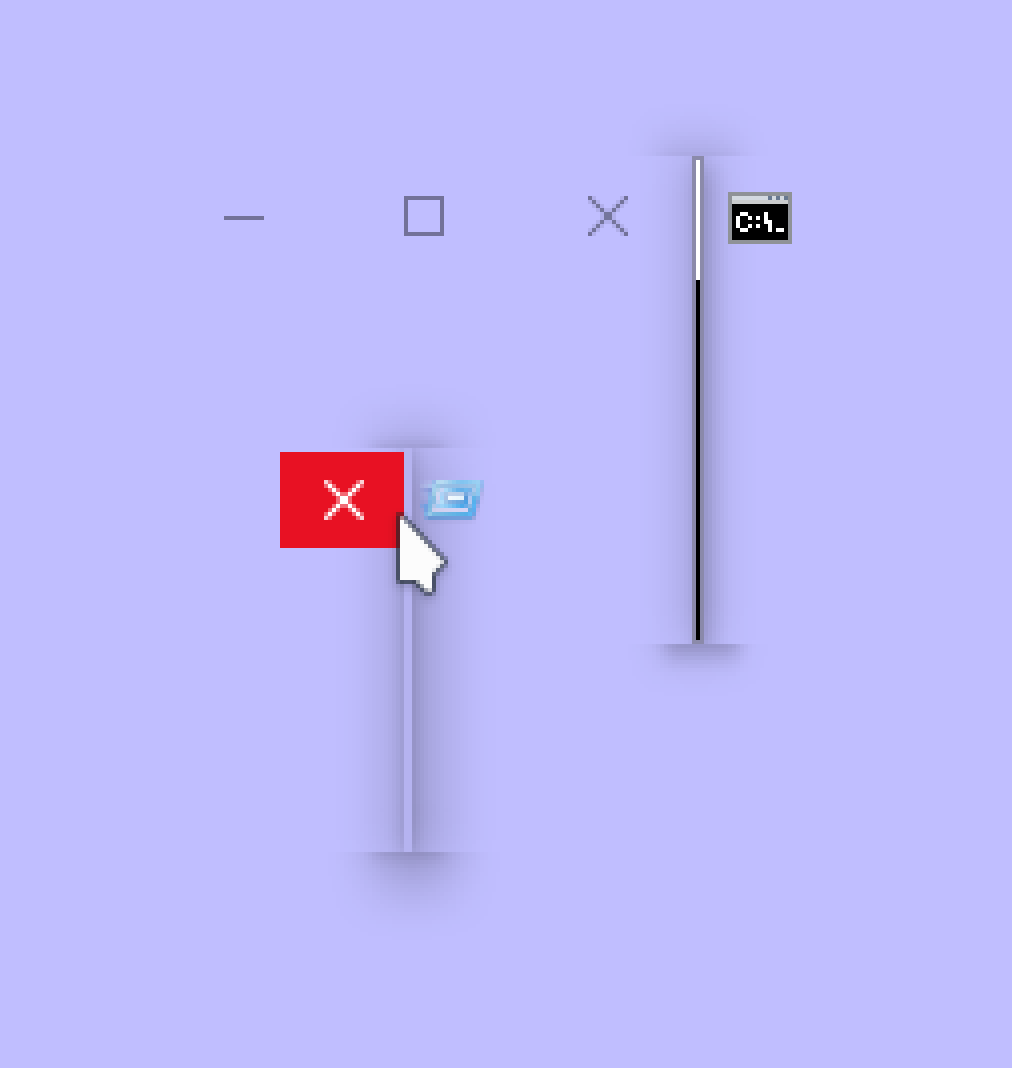
Rebane @rebane2001@infosec.exchange · activity timestamp 4 hr. ago in case you were wondering what 1px wide windows look like Read more Read less Translate Translate alt cmd and run windows, 1 pixel wide. the icon overflows to the right side of the window, and the min/max/close buttons overflow to the left. cmd and run windows, 1 pixel wide. the icon overflows to the right side of the window, and the min/max/close buttons overflow to the left. Reply Boost Quote Like More actions Copy link Share Flag this post Block
alt cmd and run windows, 1 pixel wide. the icon overflows to the right side of the window, and the min/max/close buttons overflow to the left. cmd and run windows, 1 pixel wide. the icon overflows to the right side of the window, and the min/max/close buttons overflow to the left.
Rebane @rebane2001@infosec.exchange · activity timestamp 4 hr. ago you can't by usually resize windows to be that small, but there's a way to still kind of see the effect:1. open a notepad window2. make it as small as possible3. hover over the minimize button4. waow its out of bounds!! Read more Read less Translate Translate alt notepad window, as small as usually allowed. the minimize button is being pressed and is visibly out of bounds. notepad window, as small as usually allowed. the minimize button is being pressed and is visibly out of bounds. Reply Boost Quote Like More actions Copy link Share Flag this comment Block
alt notepad window, as small as usually allowed. the minimize button is being pressed and is visibly out of bounds. notepad window, as small as usually allowed. the minimize button is being pressed and is visibly out of bounds.



you can't by usually resize windows to be that small, but there's a way to still kind of see the effect:
1. open a notepad window
2. make it as small as possible
3. hover over the minimize button
4. waow its out of bounds!!