

1 Boost
0 Likes




@EthicalProfessor @beep And why would you want to be able to remote control it? Imagine you're hard of hearing and in a classroom. Your iPhone can be with the teacher, and you can follow the lesson on your iPad using your hearing aids.


@yatil @EthicalProfessor @beep we made zip captions to handle this kind of scenario without the need for two apple devices
@educoder This seems to be doing the captions on the same device as the recording. The Apple functionality can do that, too. The remote control functionality is when you can't physically be near the speaker or there is commotion around you. So slightly different use cases.
@yatil that's the broadcast feature, which will stream the captions over a p2p connection

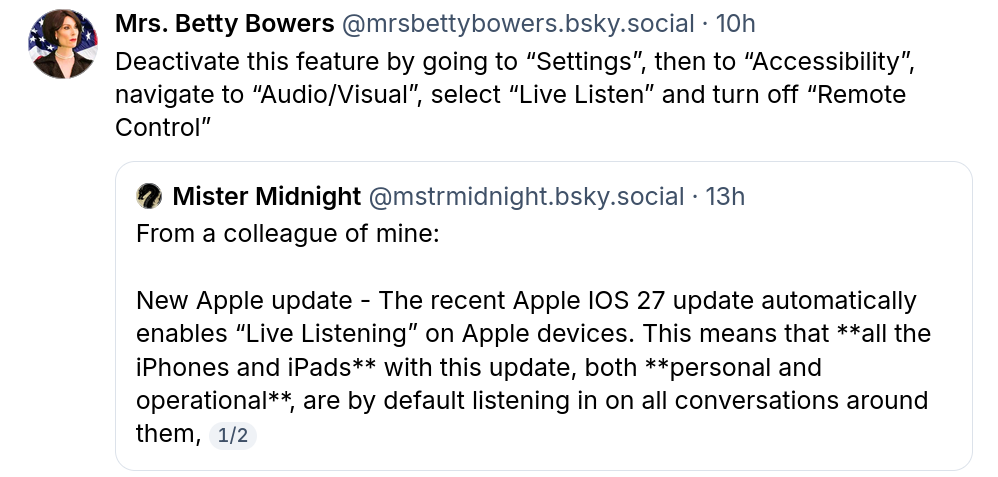
@EthicalProfessor @beep That's not what Live Listen does. It is a function that uses *your iPhone* with *your headphones* or *your hearing aid* as a microphone for better accessibility. It does not "listen in on all conversations".
A Live Listen session needs to be initiated on your phone - or with the Remote control feature with one of *your* other devices like *your apple watch*.
It's all in the documentation: https://support.apple.com/en-euro/guide/iphone/iph8bf9386f5/ios
Use iPhone as a remote microphone with Live Listen - Apple Support